

01
Say what is bothering you
Pick the thing that is actually annoying you. You do not need to know anything technical.
Slow video. Calls that drop. Pages that hang for no reason. Diagnostix360 checks your phone, your Wi-Fi, your router and the line beyond it, then tells you in plain words where the problem is and what to try first. If you still need to call support, you go in with proof.
You tell it what you are seeing. It measures. It tells you what to do. About ninety seconds, start to finish.
Pick the thing that is actually annoying you. You do not need to know anything technical.

It walks the whole path — your Wi-Fi, the router, the line, DNS — and watches how steady everything stays.

A plain answer where the evidence supports one, the first thing to try, and a button to test again after you try it.
Knowing you get 40 Mbps does not help when the video still stutters. What helps is knowing the line is fine and your router is two rooms too far away.
Signal strength, band, channel and how crowded the air around you is.
Whether the box in your house is answering quickly, or already struggling.
Whether the Internet answers, how fast, and whether names resolve properly.
A connection that is fast on average can still break a call. This watches for that.
Every finished check can produce a one-page report anyone can read, or a long technical one for an engineer. A monitoring session produces its own page: delay, jitter, packet loss, every drop and every time the connection switched networks.
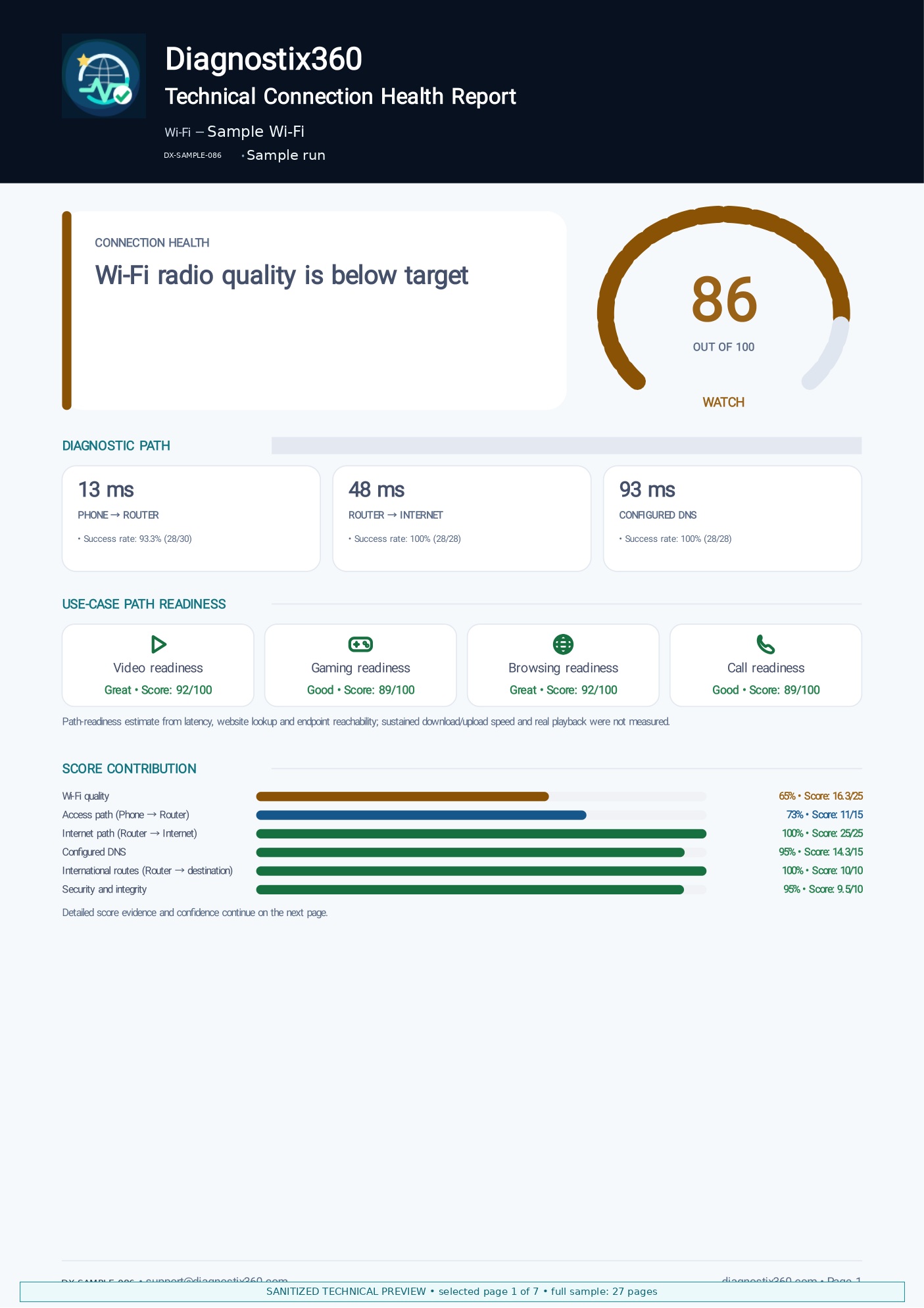
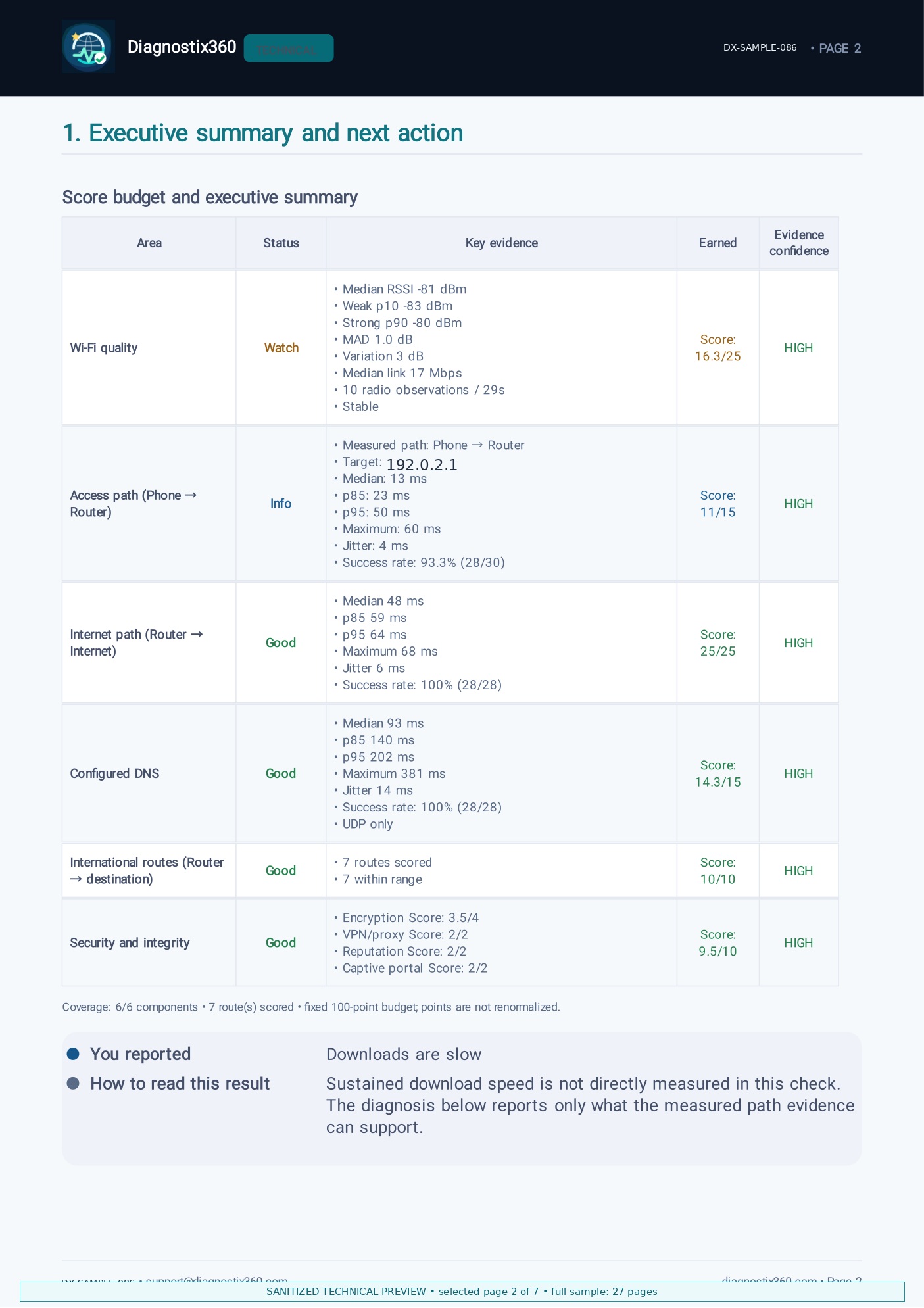
Public samples use sanitized or synthetic identifiers. The full Technical Report is exhaustive and varies with the evidence collected. The Live Monitoring sample is a complete one-page result from a real monitoring session with private network names replaced.
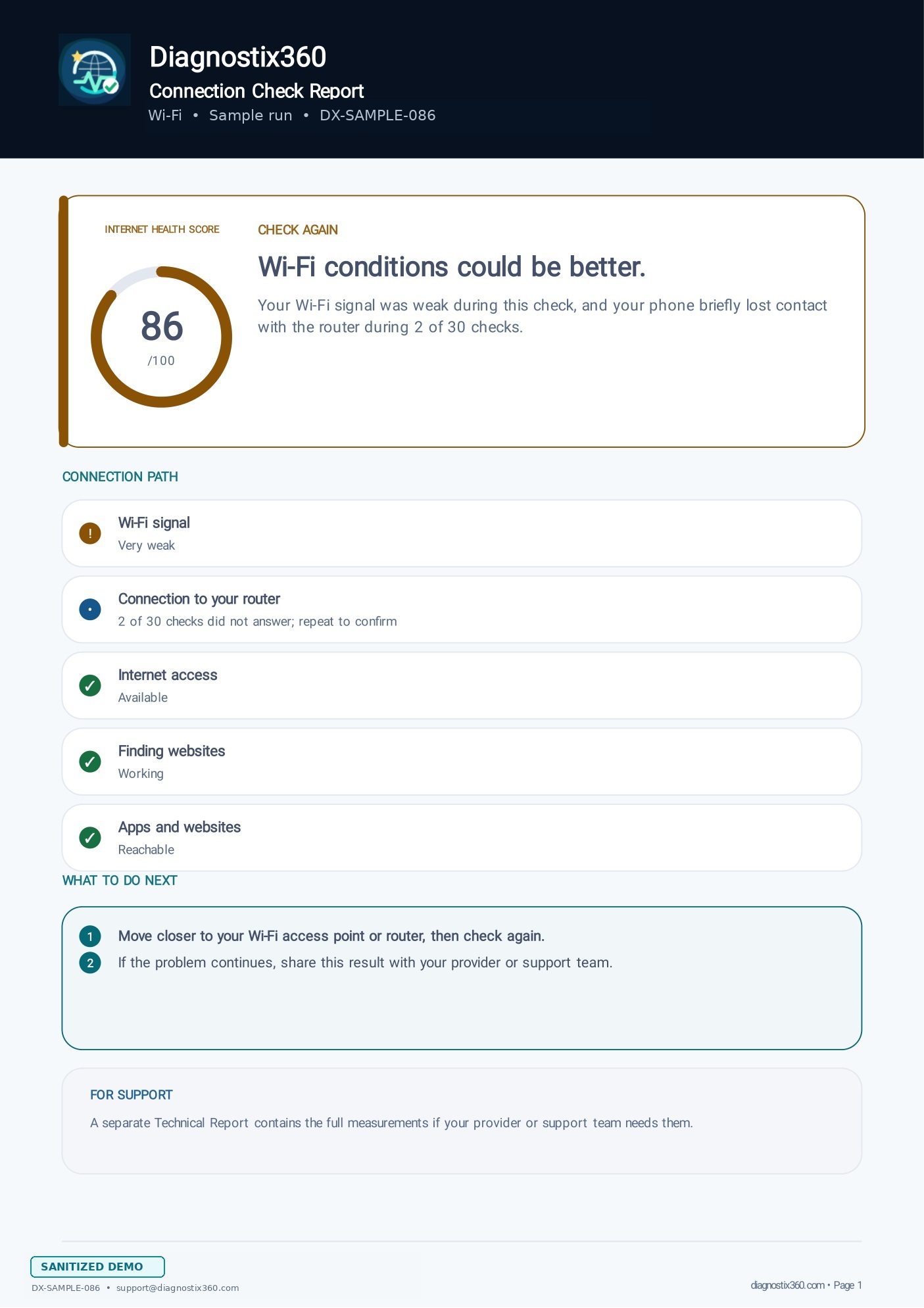
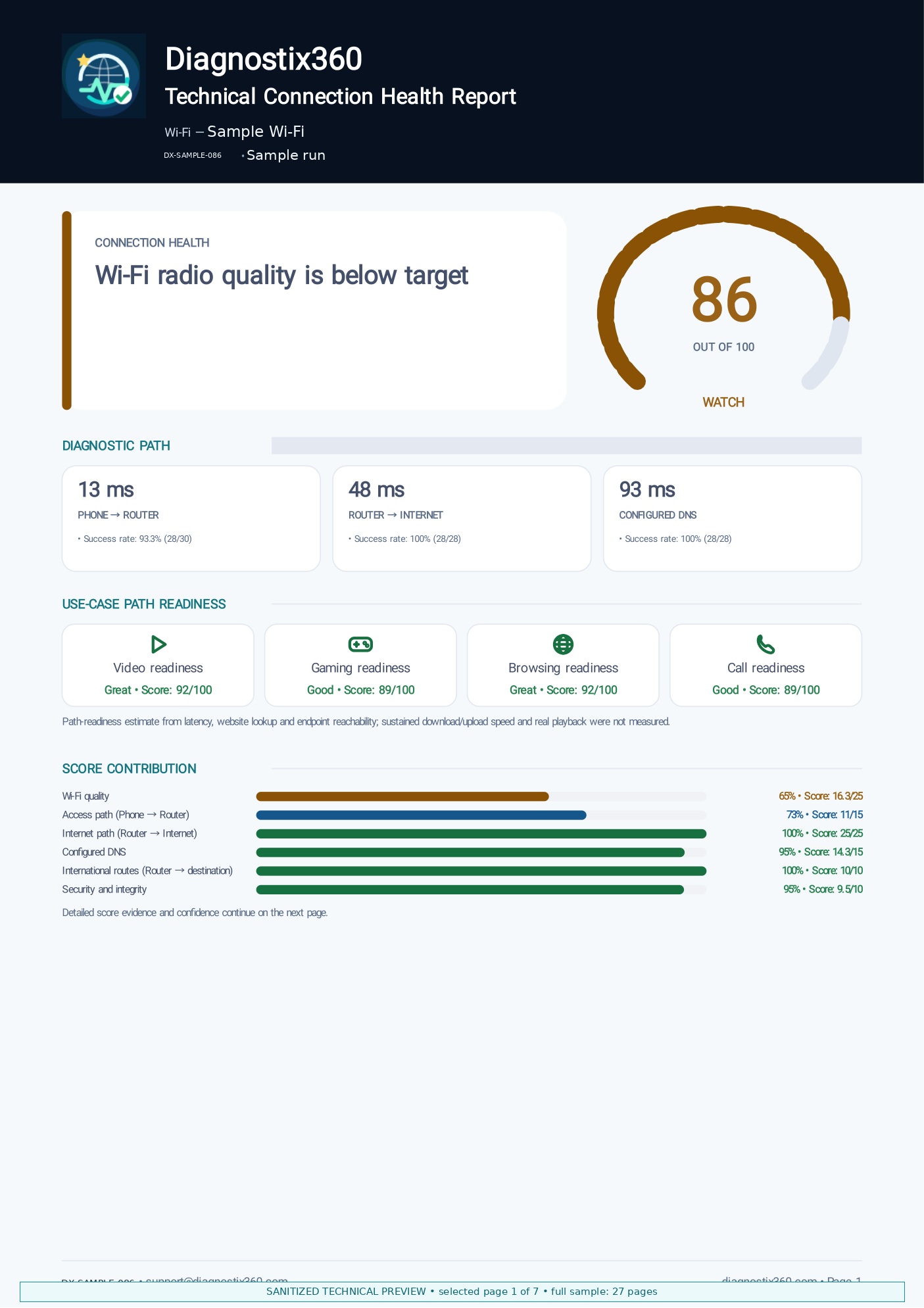

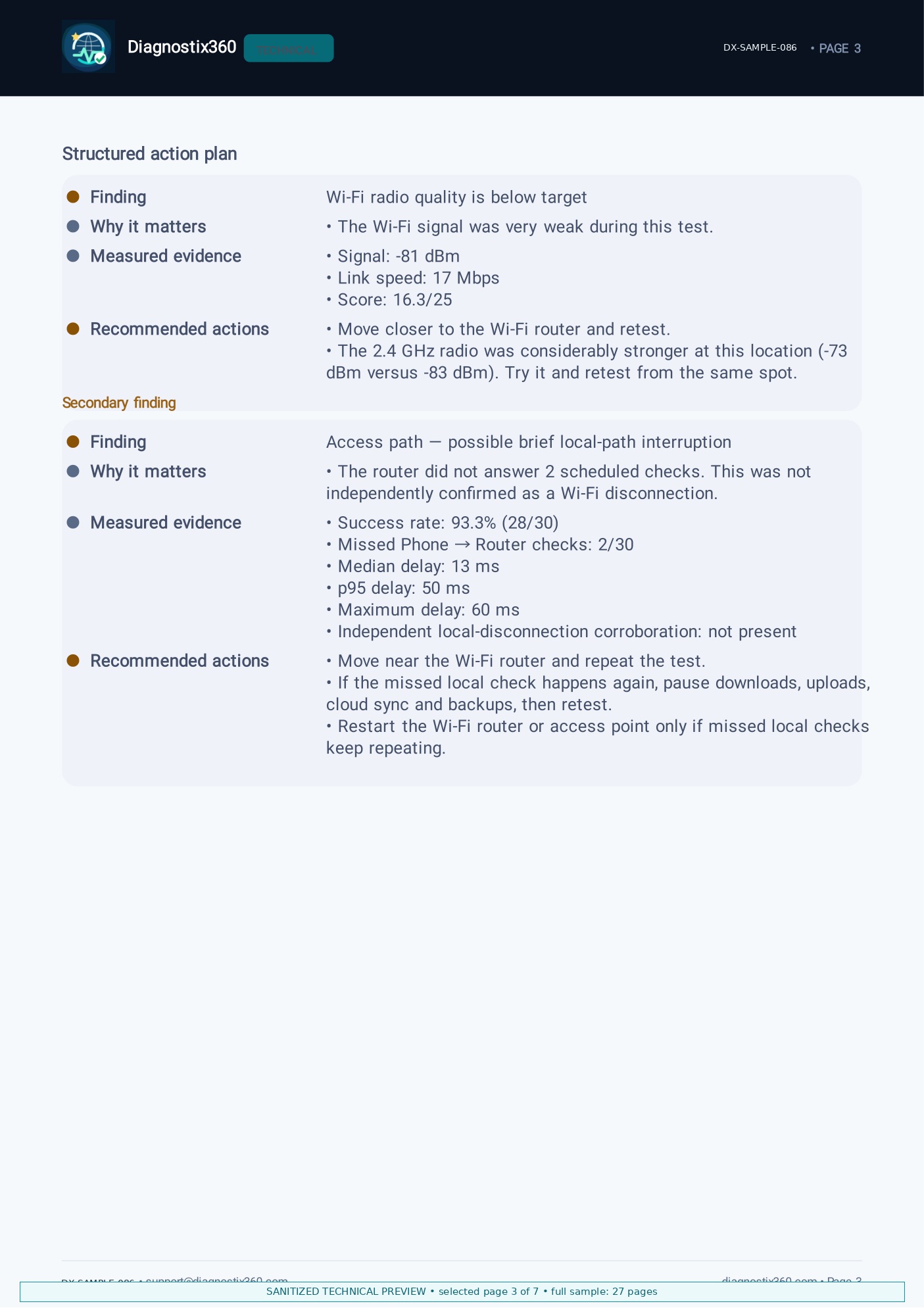
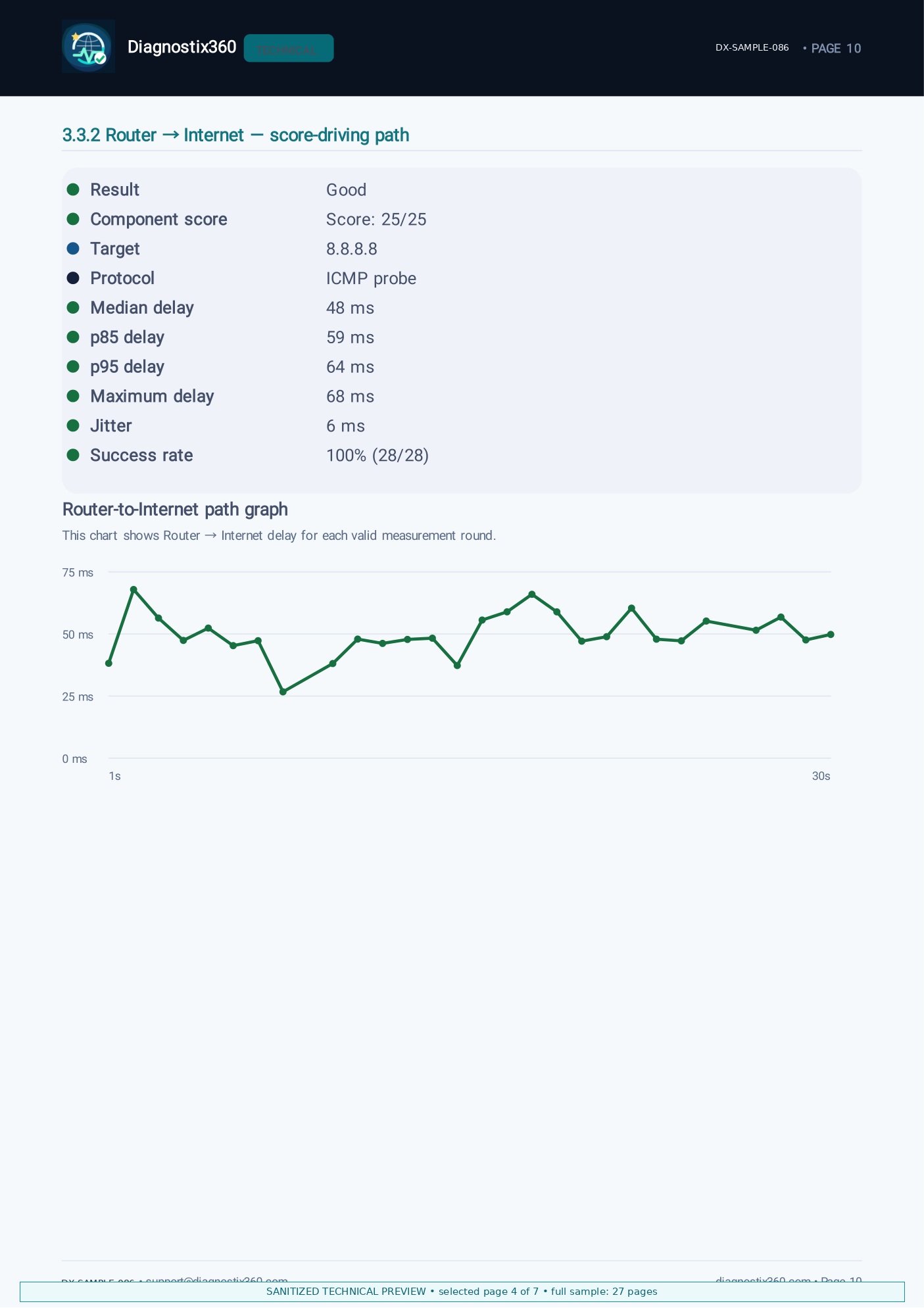
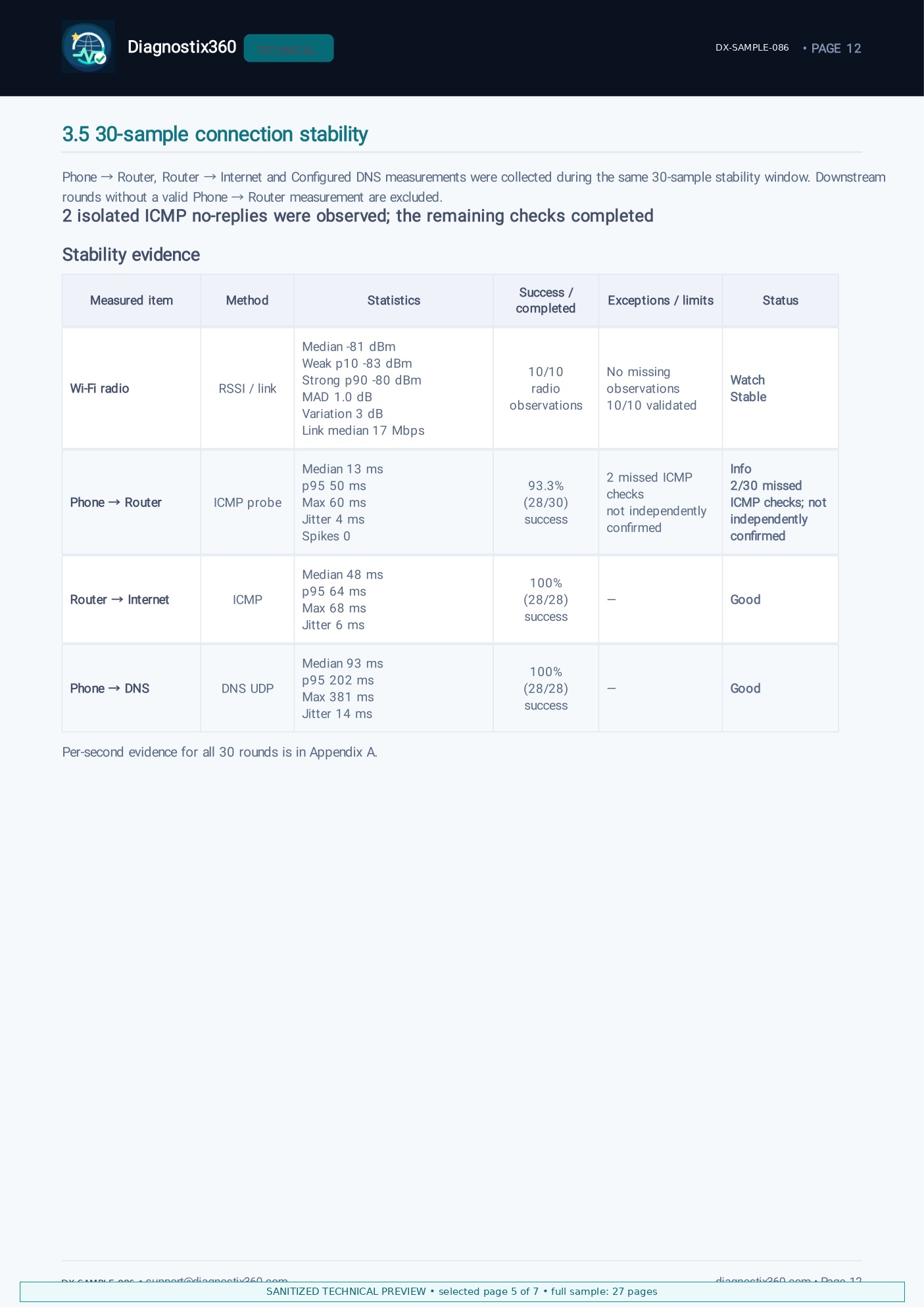
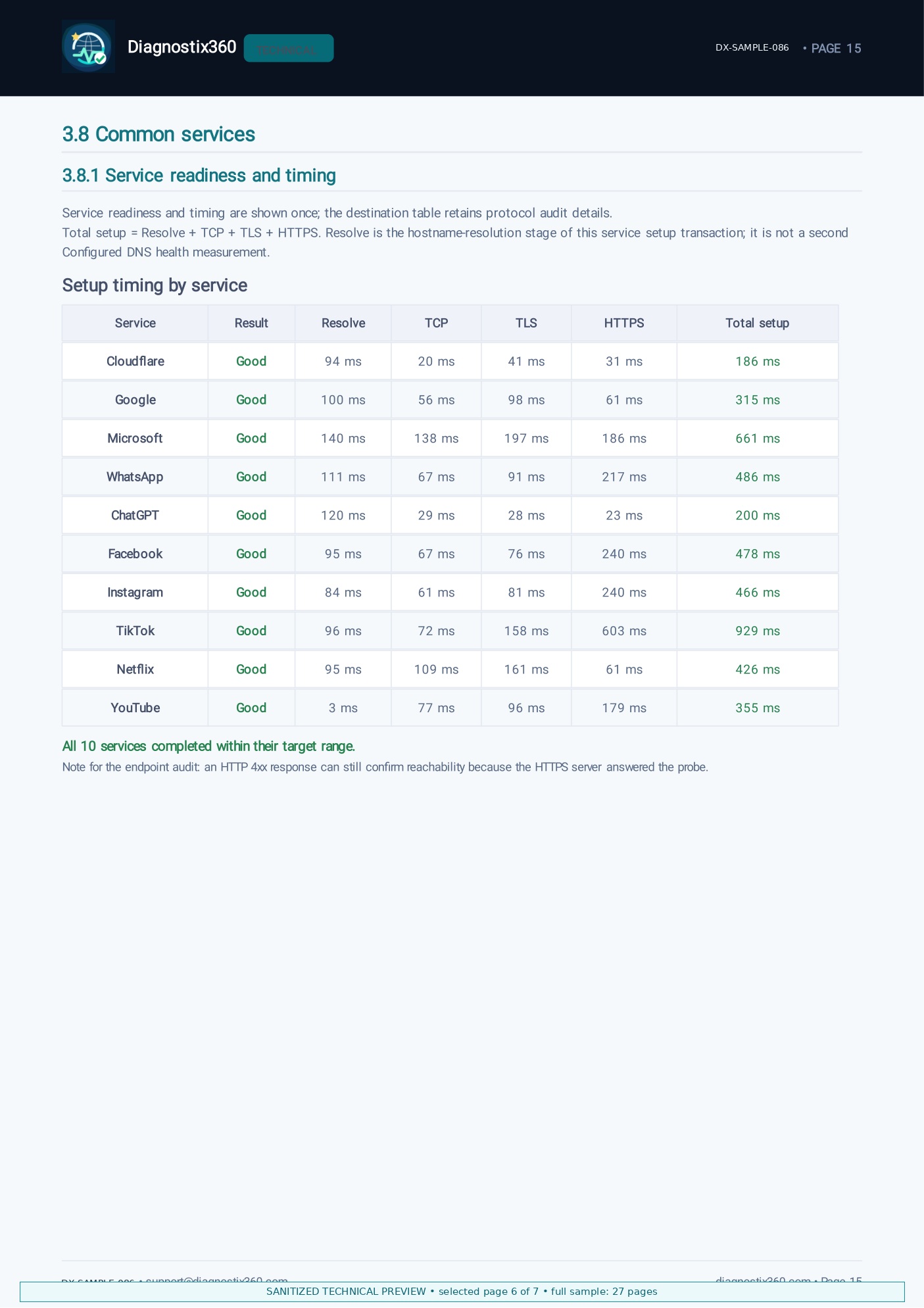
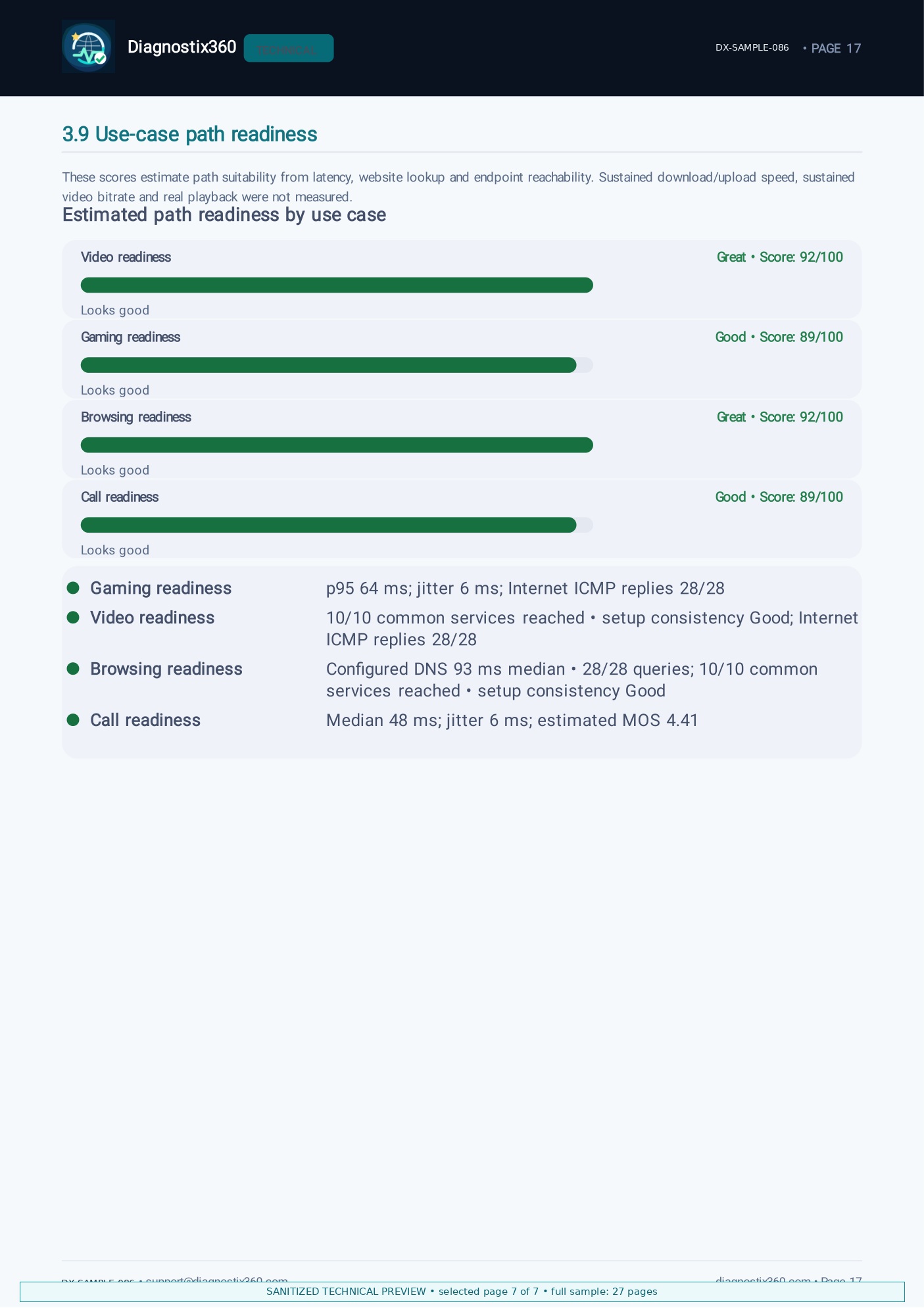
The preview includes the overall score, executive summary, action plan, Internet-path graph, 30-sample stability evidence, common-service timing and use-case readiness. The full Technical Report is more exhaustive and varies by run. It is typically about 20+ pages; this real sample contains 27 pages.
A quick check catches a problem that is happening now. It cannot catch the one that hits twice an evening. Live Monitoring keeps measuring for up to 90 minutes, stays running when you switch between Wi-Fi and mobile data, and records every drop with a timestamp — so the fault that never happens in front of the technician finally has evidence.
Data Insight is our separate Android app for app-by-app data use, overnight activity and data-saving clues. It is now starting closed testing.
See what changes when a customer arrives with a finished check instead of a feeling. Open the reports your agents would receive, and try it on one real ticket.
Nothing runs on its own — you start every test. The simple report leaves out anything sensitive. The technical one does contain network details, so the app asks you to look before you send it.
Test it in the room where it goes wrong, try the first suggestion, and keep the report in case you still need someone else to look.
Using an iPhone? Diagnostix360 is currently available on Android. Get notified when iOS is available.